
Yacht at Sea
Roll, hold and score your way across the classic dice game of Yacht.
$6.99Downloads and purchases are not open yet. Check back soon.
About Yacht at Sea
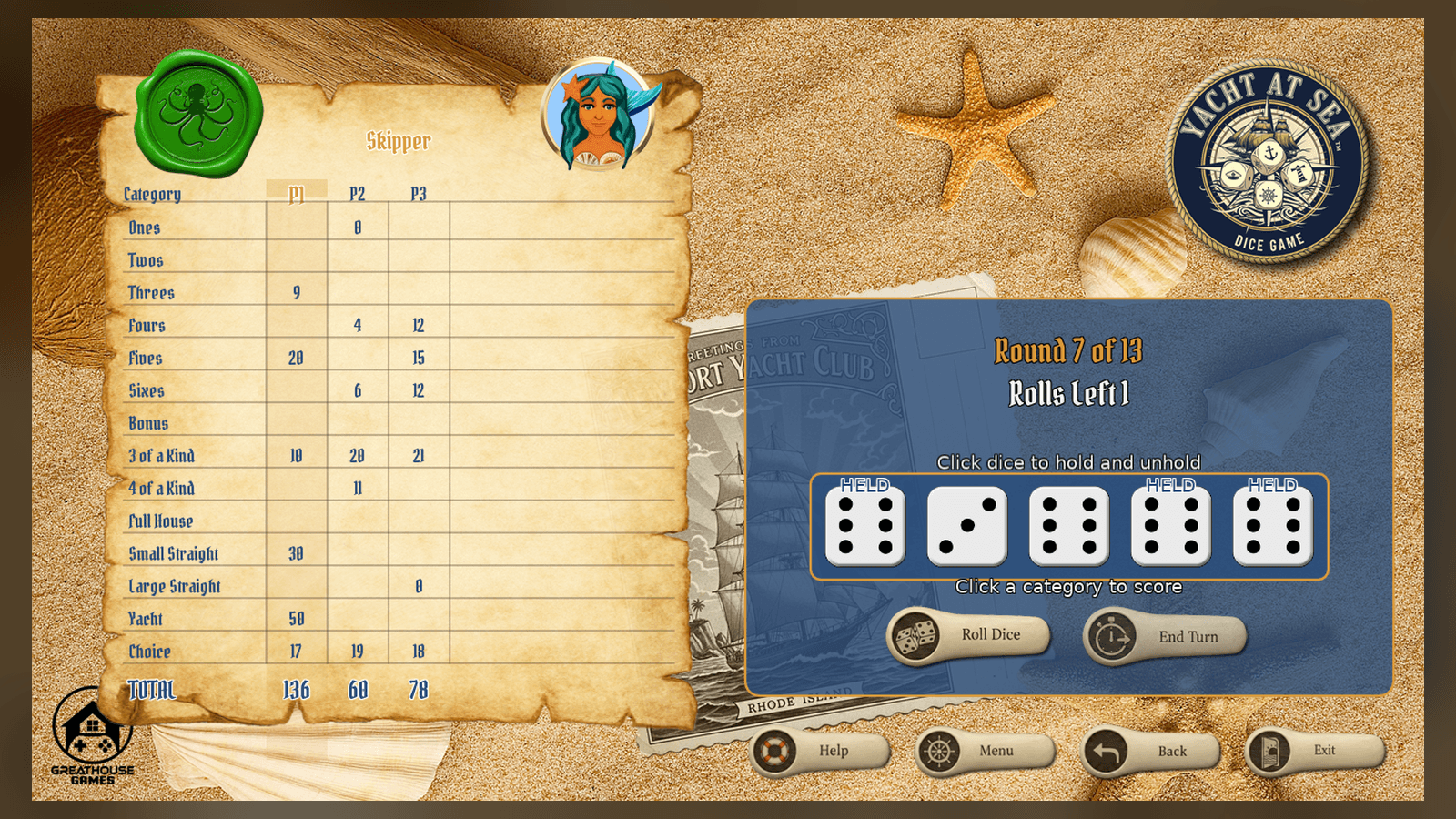
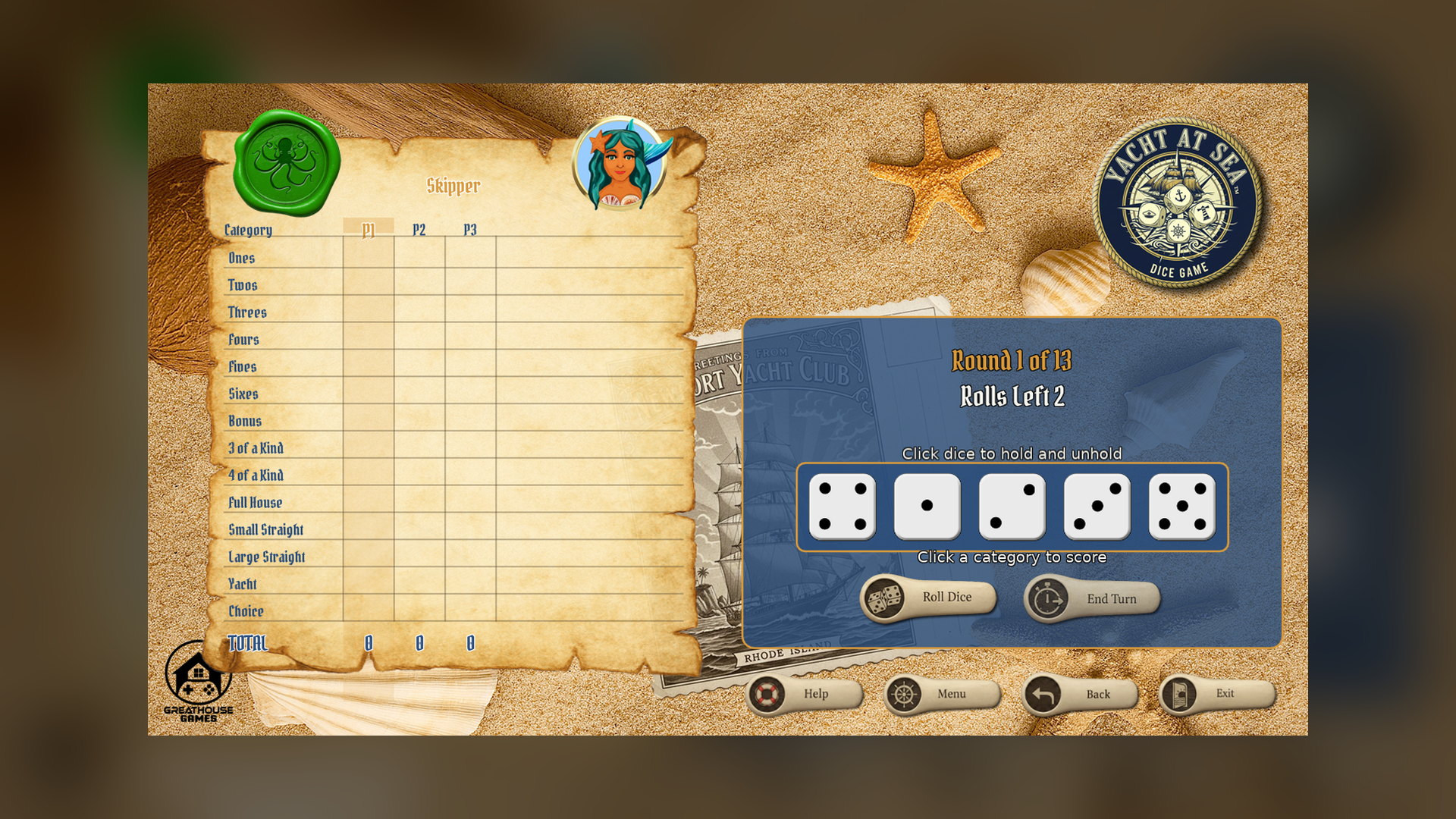
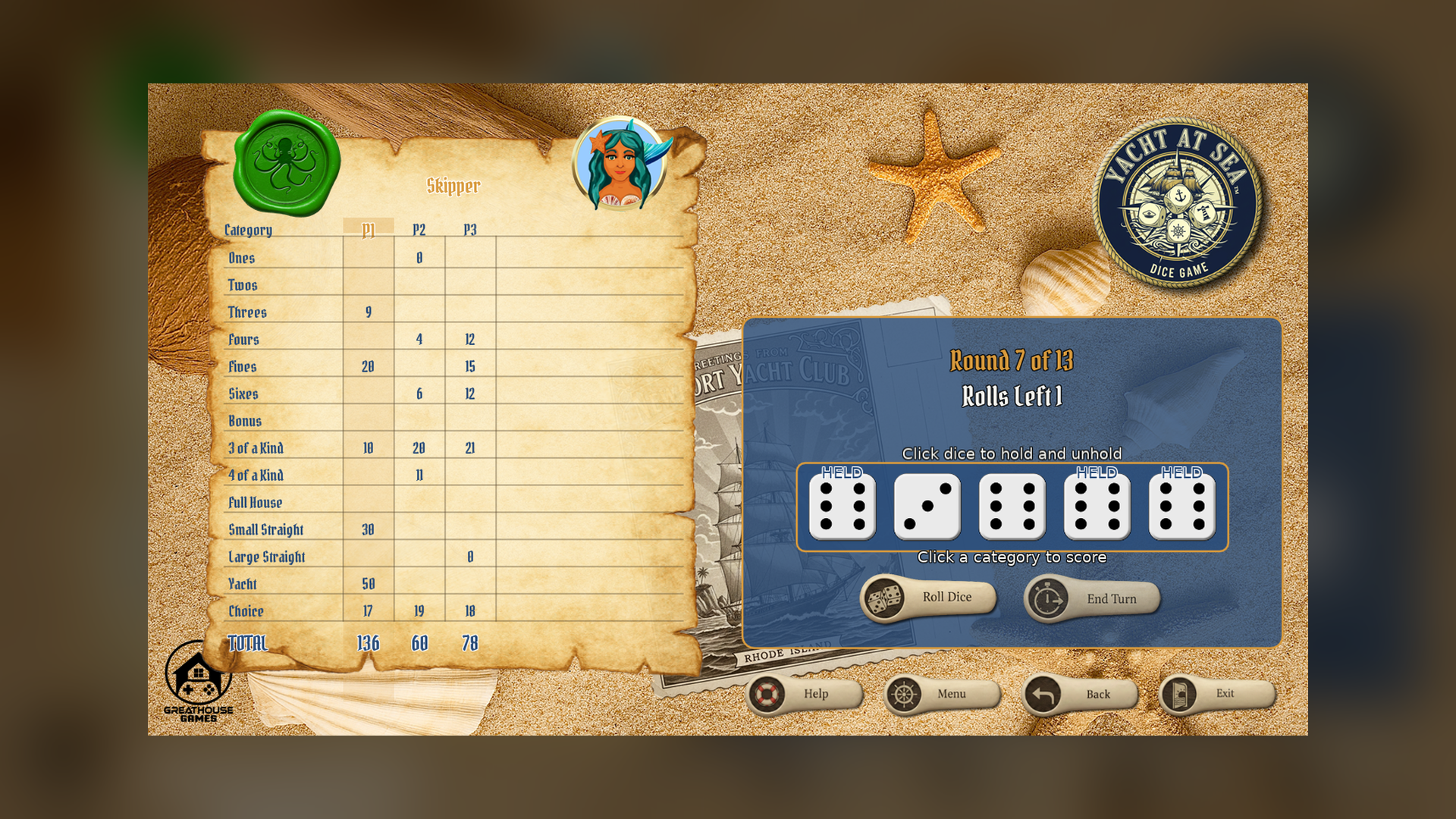
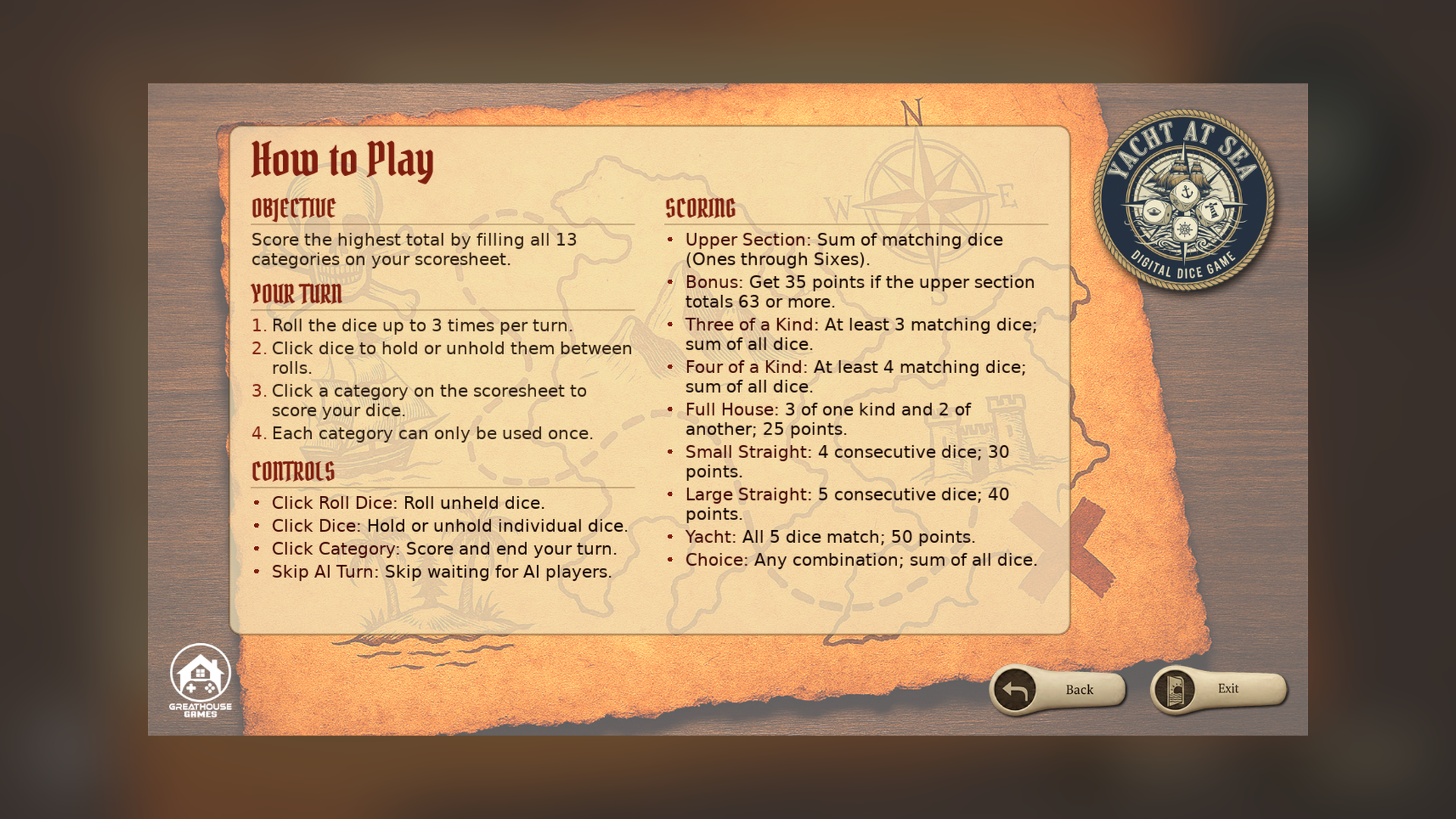
Yacht at Sea brings the classic Yacht dice game to your desktop with a maritime theme. Roll five dice up to three times a turn, holding whichever you want to keep between rolls, then lock in a score for one of the 13 categories on your sheet: the upper-section numbers (with a bonus for a high total), three and four of a kind, full house, small and large straight, the Yacht itself, and Chance.
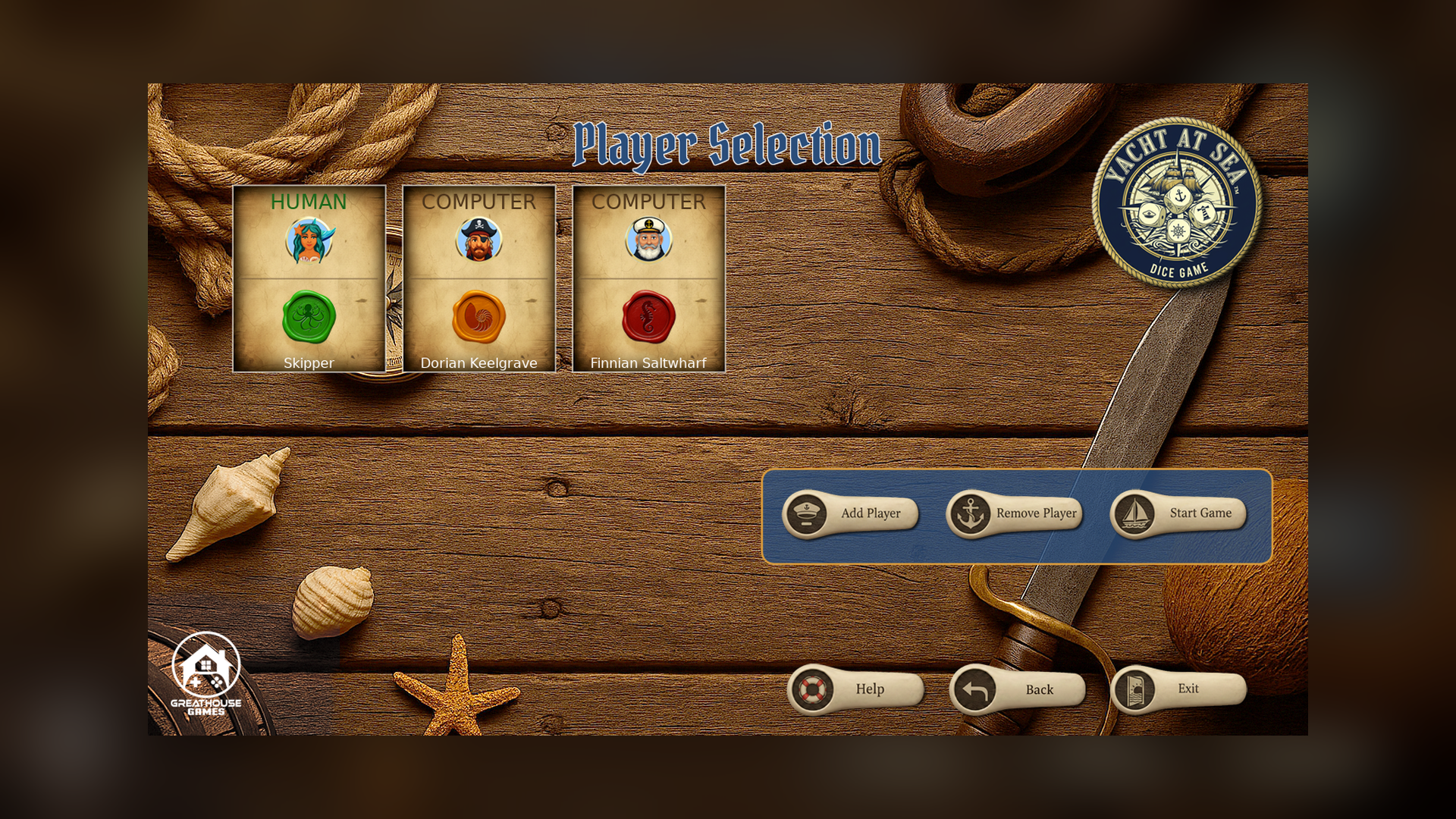
Play solo against up to five computer opponents with their own strategic decision-making, or pass the mouse around for local hot-seat play with two to six players on the same machine.
The table is dressed in a custom maritime theme, with its own backgrounds, player avatars and animated scoring feedback for every roll.
Features
- Full Yacht scoring across all 13 categories, including the upper-section bonus
- Single-player vs up to 5 AI opponents
- Local hot-seat multiplayer for 2 to 6 players on one machine
- Click-based dice holding and category selection
- Maritime-themed backgrounds, player avatars and UI
- Animated scoring feedback
Screenshots
Platforms and downloads
| Platform | Version | File | Size |
|---|---|---|---|
| Windows installer Windows 10 or 11, 64-bit | 1.0.0 | YachtAtSea_Setup_v1.0.0.exe | 26.8 MB |
| Linux AppImage 64-bit (x86_64), self-contained | 1.0.0 | YachtAtSea-linux-v1.0.0.x86_64.AppImage | 26.5 MB |
| macOS disk image Intel and Apple silicon; open it and drag the game to Applications | 1.0.0 | YachtAtSea-macos-v1.0.0.dmg | 33.4 MB |
| macOS app (zip) Same app as the disk image, as a zip | 1.0.0 | YachtAtSea-macos-v1.0.0.zip | 32.6 MB |
Downloads are coming soon.
How to install
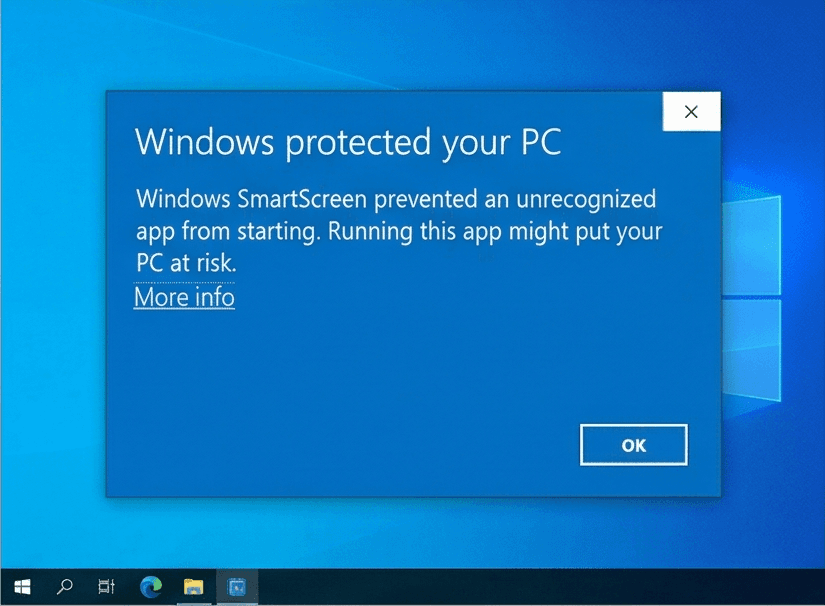
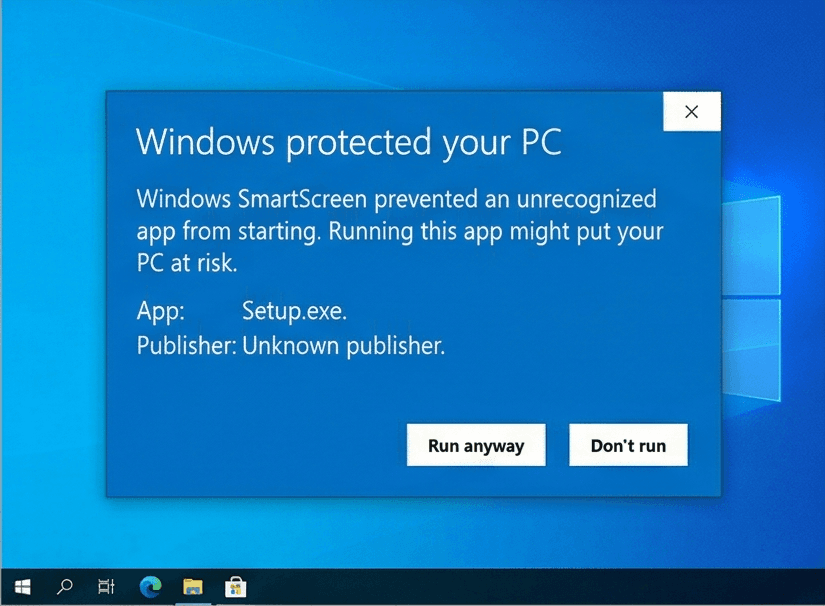
Our Windows installers are digitally signed by Rochaus Design, LLC. Windows SmartScreen can still show a warning for new software until it has built up a reputation. This is expected; here is how to continue. The macOS builds are not yet notarized by Apple, so macOS asks you to approve them once. See the FAQ for more troubleshooting.
Windows
- Download
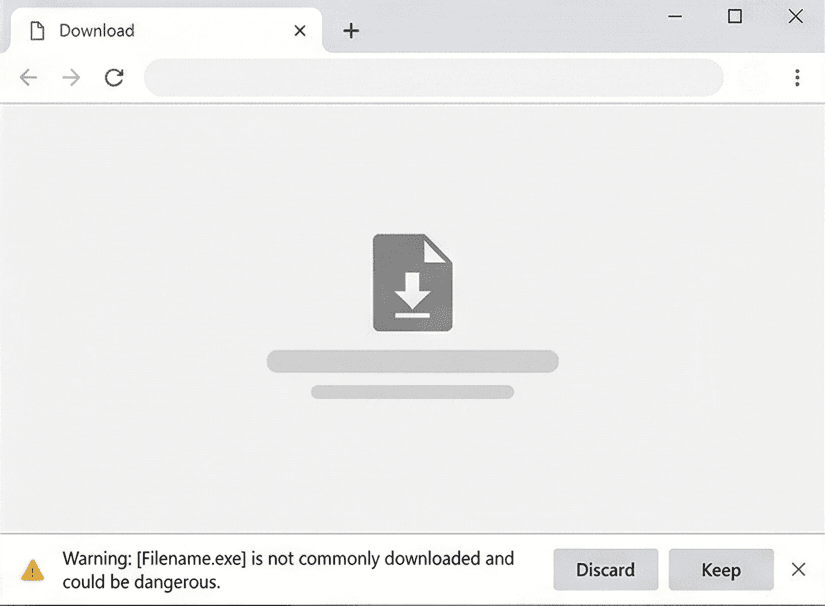
YachtAtSea_Setup_v1.0.0.exefrom your download page. - If your browser blocks the file, open its download menu and choose Keep (then Keep anyway).
- Run the installer. If Windows SmartScreen says it "protected your PC", click More info, then Run anyway.
- Start the game. In the Unlock window, click Paste serial (or press Ctrl+V) with the serial from your purchase email copied. The installer does not ask for it.
Linux
- Download
YachtAtSea-linux-v1.0.0.x86_64.AppImage. - Make it executable:
chmod +x YachtAtSea-linux-v1.0.0.x86_64.AppImage, or tick Allow executing as a program in its file properties. - Run it. If your system lacks FUSE, start it from a terminal with
--appimage-extract-and-run. - In the Unlock window, click Paste serial (or press Ctrl+V) with the serial from your purchase email copied.
macOS
- Download
YachtAtSea-macos-v1.0.0.dmg(or the.zip, which holds the same app) from your download page. - Open the disk image and drag Yacht at Sea onto Applications. For the zip, double-click it and move the app to Applications.
- Open the game from Applications. macOS says it cannot verify the developer: click Done (or OK).
- Open System Settings > Privacy & Security, scroll down and click Open Anyway, then confirm. You only do this once per game. On macOS 14 or earlier you can instead Control-click the app and choose Open.
- In the Unlock window, click Paste serial (or press Ctrl+V; the Cmd+V shortcut does not work there) with the serial from your purchase email copied.
System requirements
- OS
- Windows 10 or 11 (64-bit)macOS 10.15 or later (Intel or Apple silicon)Linux, 64-bit (x86_64) desktop distribution
- Memory
- 512 MB RAM
- Storage
- 50 MB free space
- Graphics
- Any graphics card or integrated GPU with OpenGL 2.1 support
- Input
- Mouse or trackpad and keyboard
Controls
Mouse
- Click a die (after the first roll)
- Hold or unhold it for the next roll
- Click the Roll button
- Roll the dice (up to 3 times per turn)
- Click a category
- Score your current dice there and end your turn
- Click the End Turn button
- Skip any remaining rolls and score now
Keyboard
- Space
- Start the game from the splash screen, or restart after a game over
- Esc
- Quit
License
Yacht at Sea is licensed, not sold. Read the End-User License Agreement before you buy. Third-party credits ship with the game in THIRD_PARTY_NOTICES.txt. See also our Terms of Service and Privacy Policy.
Release notes
See what changed in every version of Yacht at Sea: release notes.