

Word Surge
Drag a surge trail through the letters, spell words, and set off chain reactions.
$6.99Downloads and purchases are not open yet. Check back soon.
About Word Surge
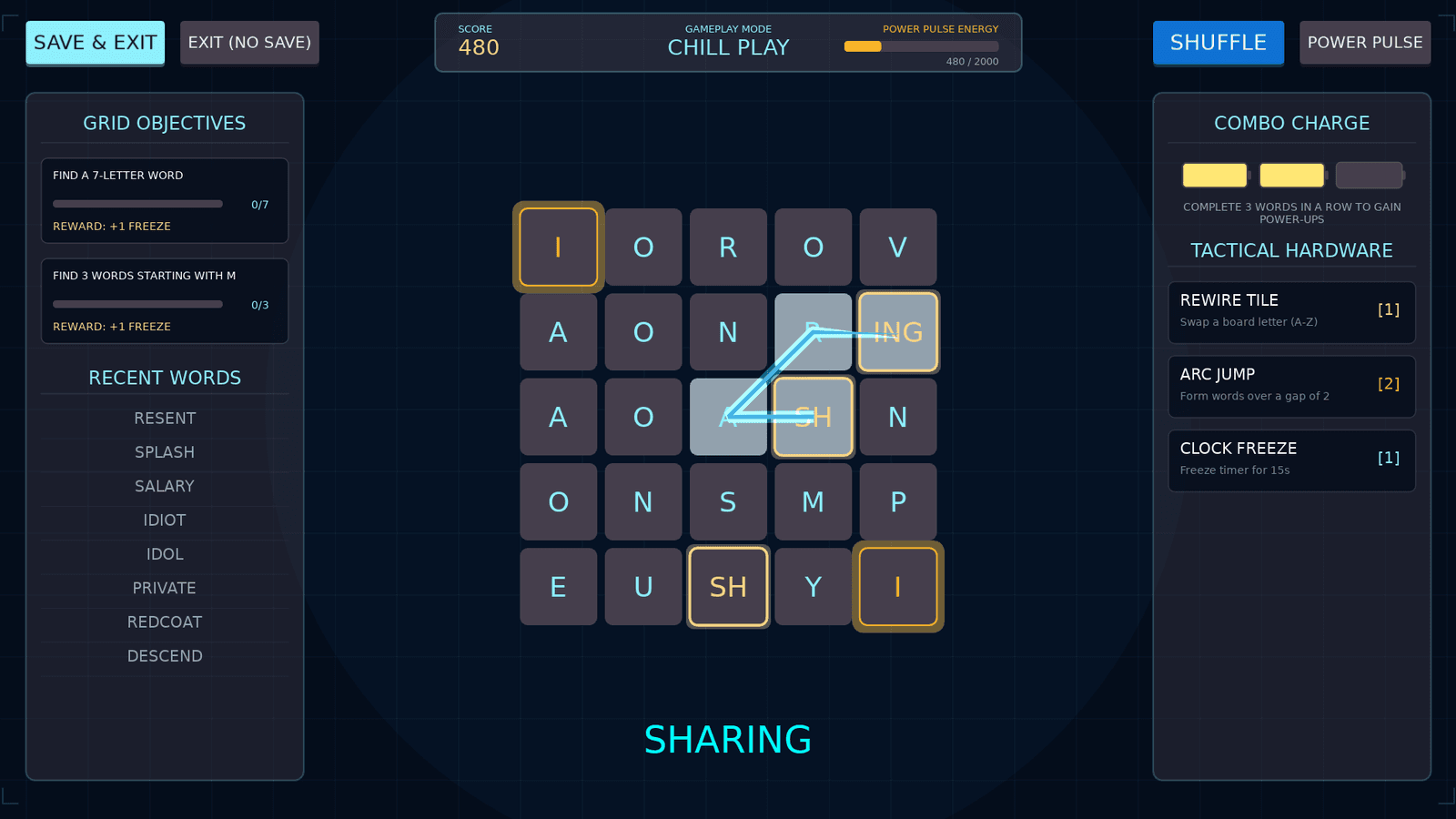
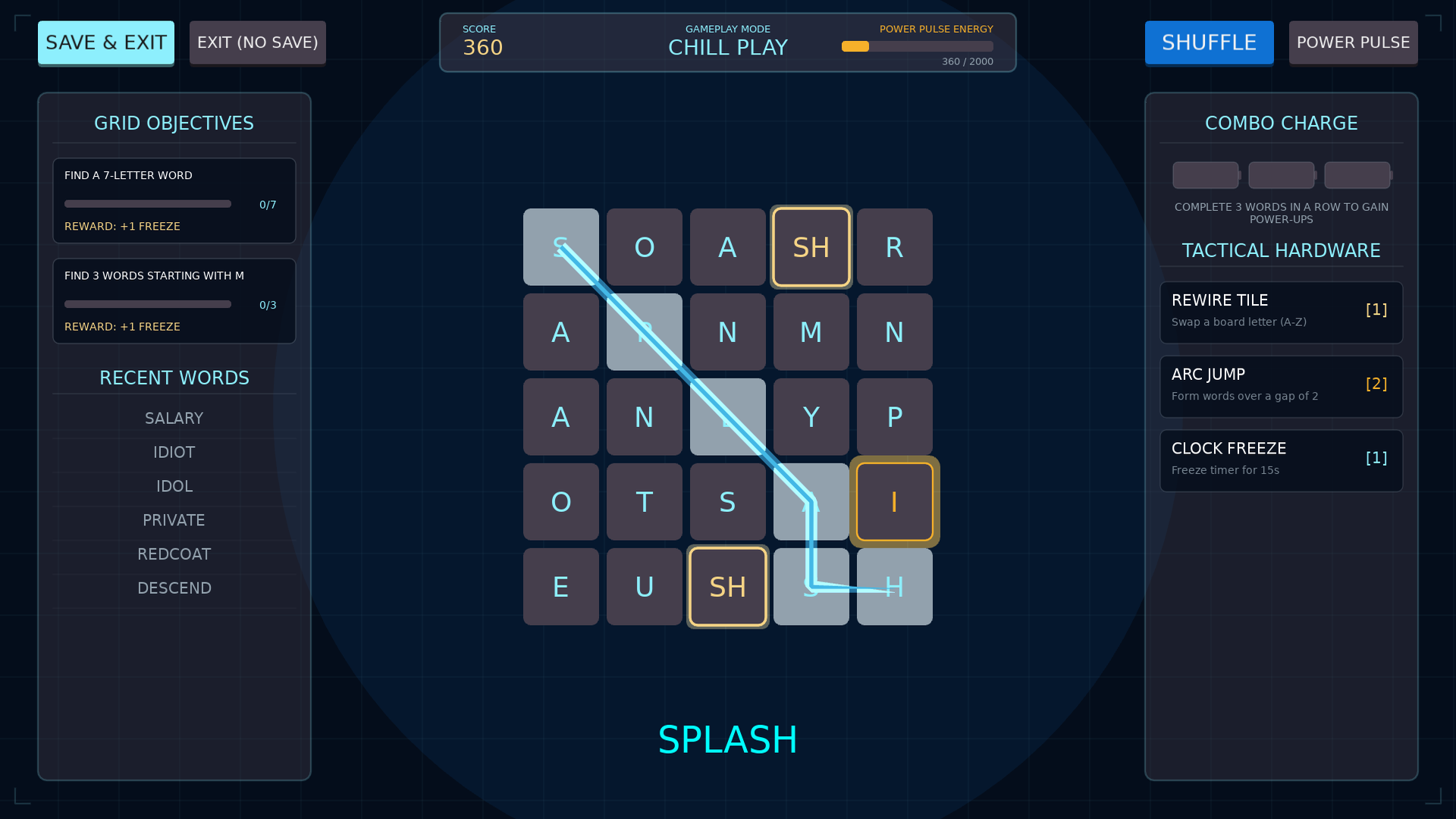
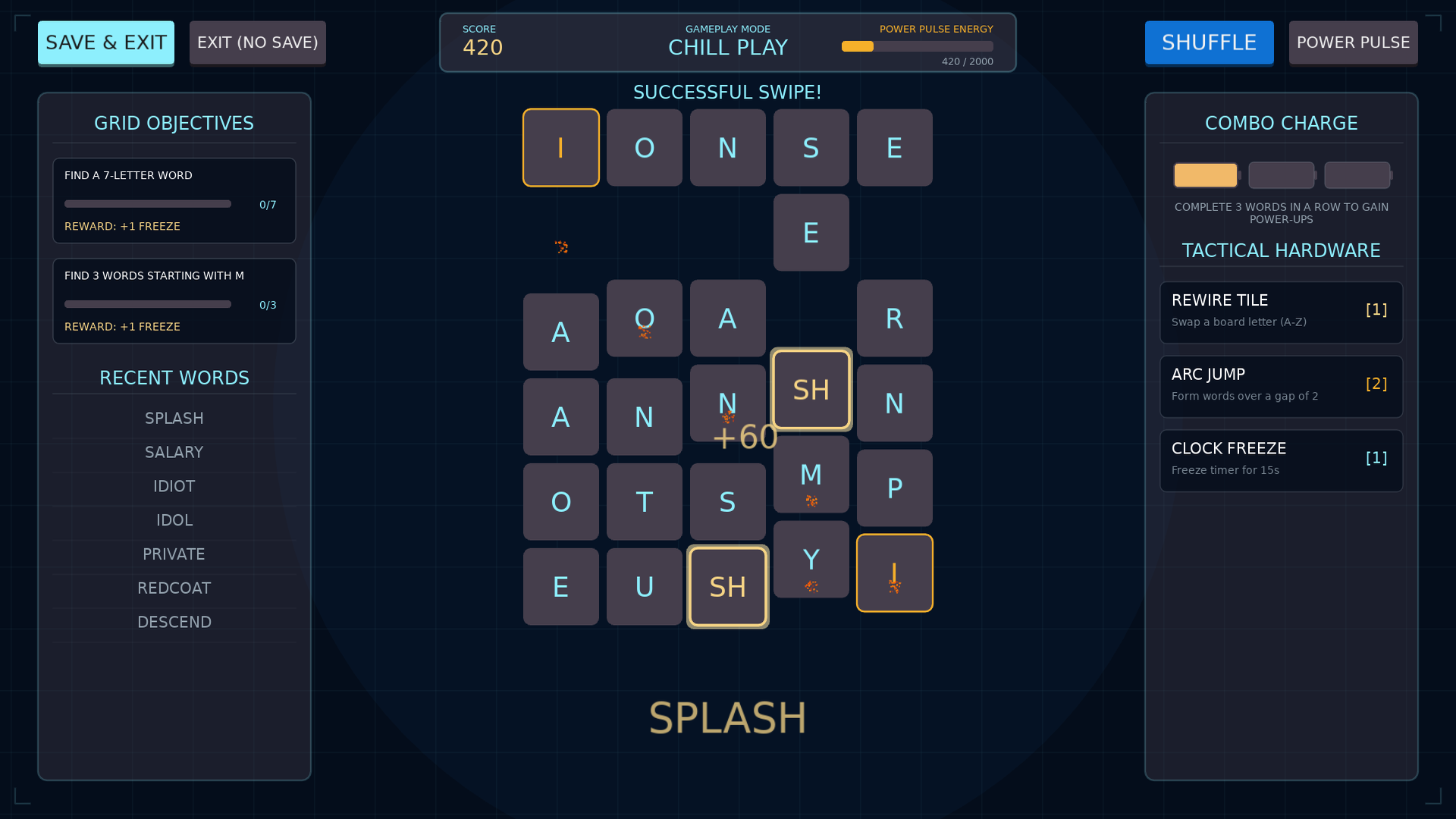
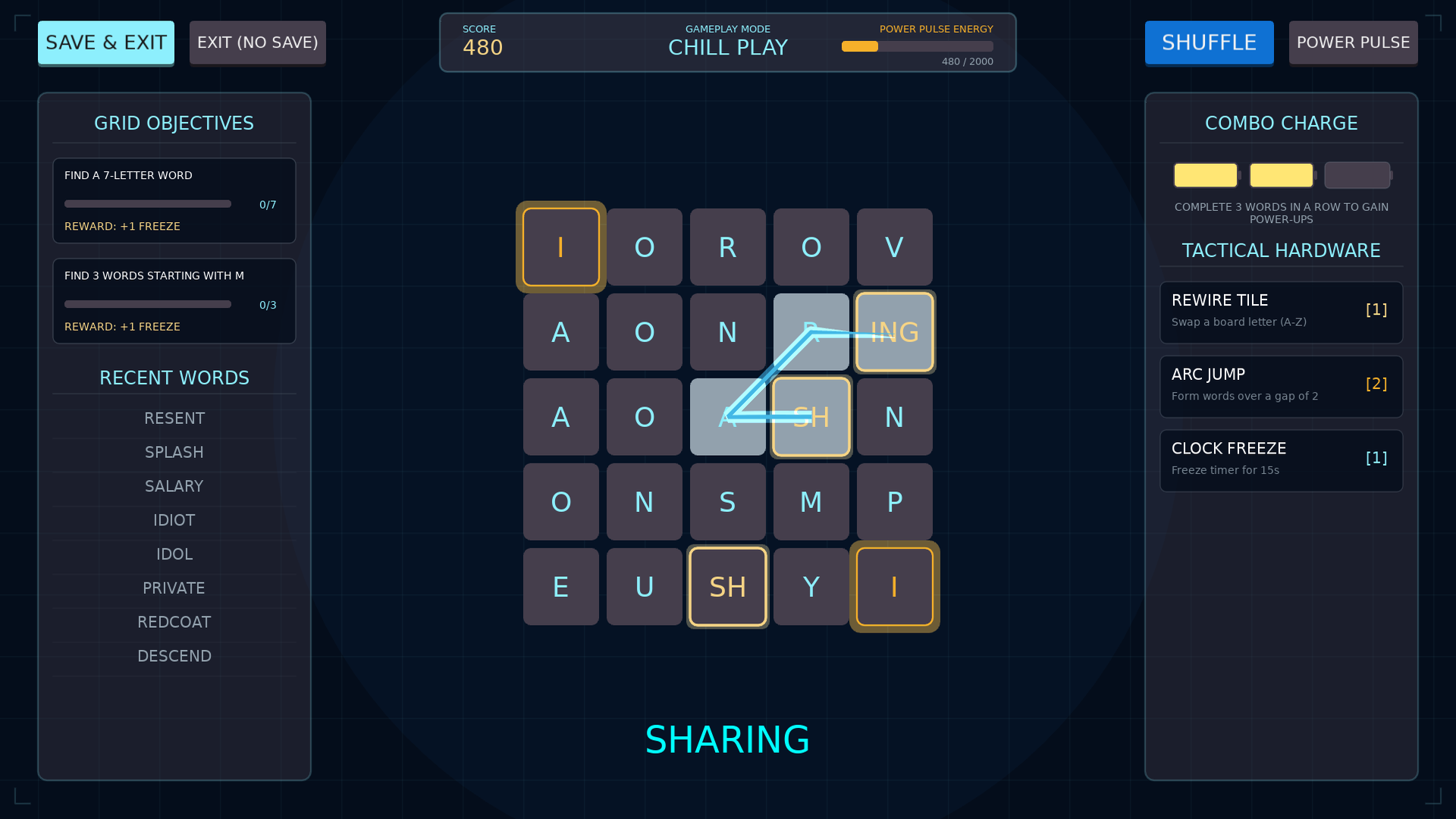
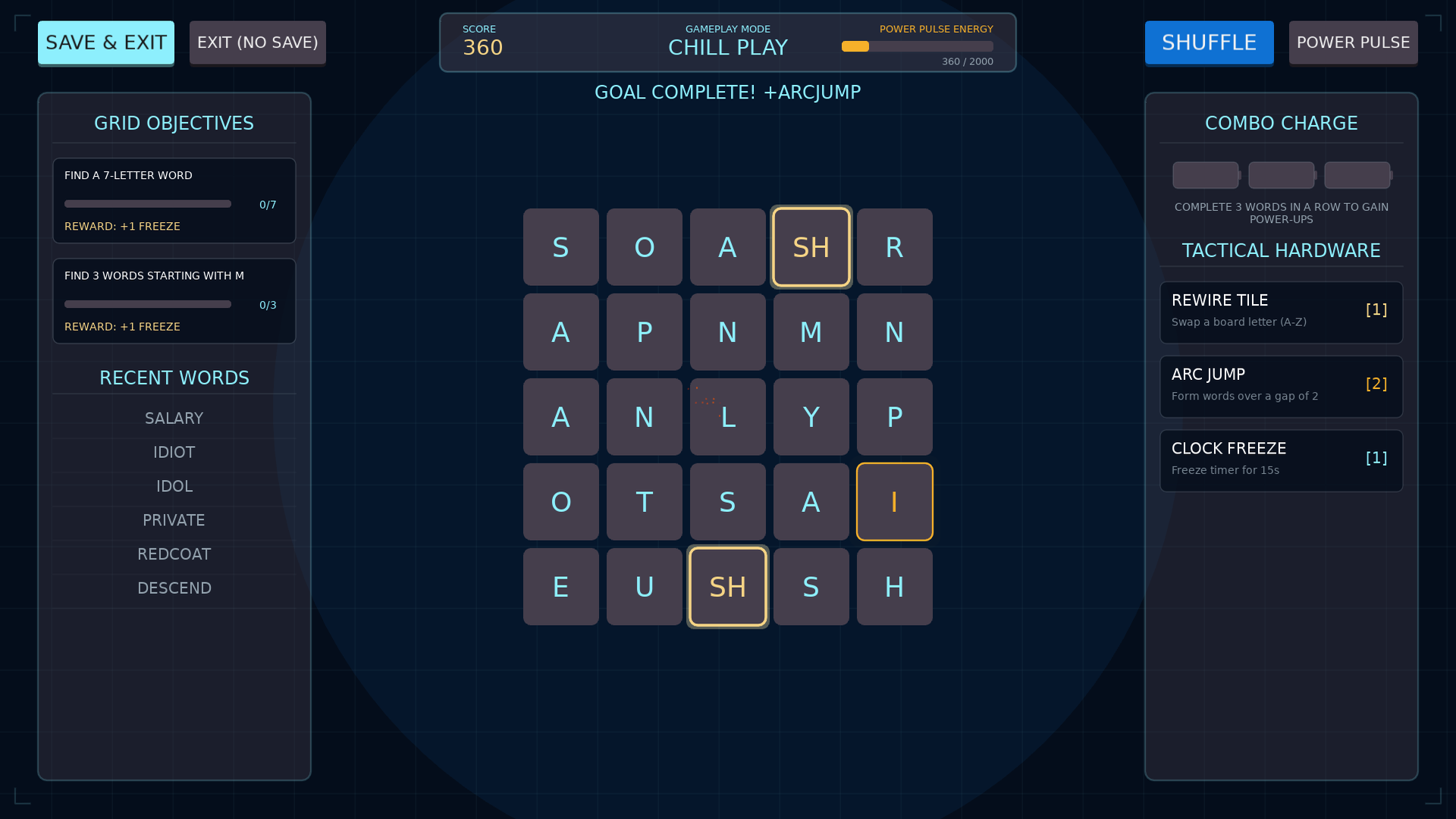
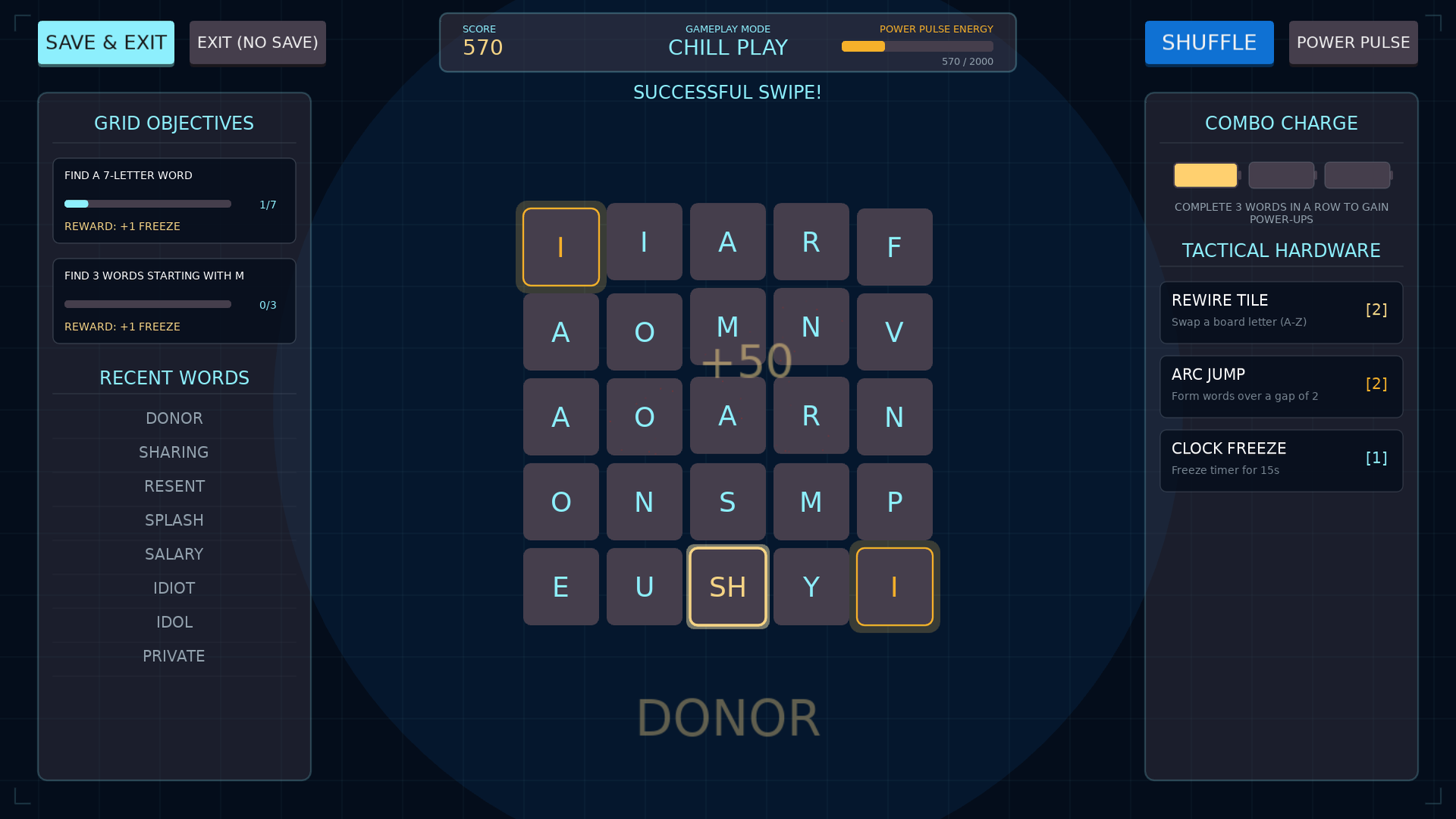
Word Surge is an electric word-swipe puzzle. Click and drag across a 5x5 board to connect adjacent letters, horizontally, vertically or diagonally, into words of four or more letters. Release to score, and watch the tiles burst into sparks while new letters fall in from above.
Special tiles keep it interesting. Fuse Gems hold prefixes, suffixes and letter pairs such as Qu, Th and Ing and double the base score of a word. Surge Cells are charged tiles that blow up their neighbors for bonus points. Press the Power Pulse to throw the board into the air and land it in a new arrangement.
Finish mini-goals to earn power-ups: Rewire changes any tile to a letter you choose, Arc Jump lets your trail leap over a gap, and Static Freeze holds the clock. Pick the pace that suits you with Chill (no timer), Surge (the standard timed mode) or Burnout, a survival mode where neglected tiles die and block your paths.
Features
- Three game modes: Chill (no timer), Surge (timed arcade play) and Burnout (hardcore survival)
- Fuse Gems that double a word's score, and Surge Cells that trigger chain reactions
- Power Pulse board scramble
- Earn Rewire, Arc Jump and Static Freeze power-ups by completing mini-goals
- Letter pools tuned so boards stay solvable
- Cyberpunk neon arcade look with snappy, reactive animations
Screenshots

Platforms and downloads
| Platform | Version | File | Size |
|---|---|---|---|
| Windows installer Windows 10 or 11, 64-bit | 1.0.0 | WordSurge_Setup_v1.0.0.exe | 10.6 MB |
| Linux AppImage 64-bit (x86_64), self-contained | 1.0.0 | WordSurge-linux-v1.0.0.x86_64.AppImage | 10.4 MB |
| macOS disk image Intel and Apple silicon; open it and drag the game to Applications | 1.0.0 | WordSurge-macos-v1.0.0.dmg | 16.4 MB |
| macOS app (zip) Same app as the disk image, as a zip | 1.0.0 | WordSurge-macos-v1.0.0.zip | 15.5 MB |
Downloads are coming soon.
How to install
Our Windows installers are digitally signed by Rochaus Design, LLC. Windows SmartScreen can still show a warning for new software until it has built up a reputation. This is expected; here is how to continue. The macOS builds are not yet notarized by Apple, so macOS asks you to approve them once. See the FAQ for more troubleshooting.
Windows
- Download
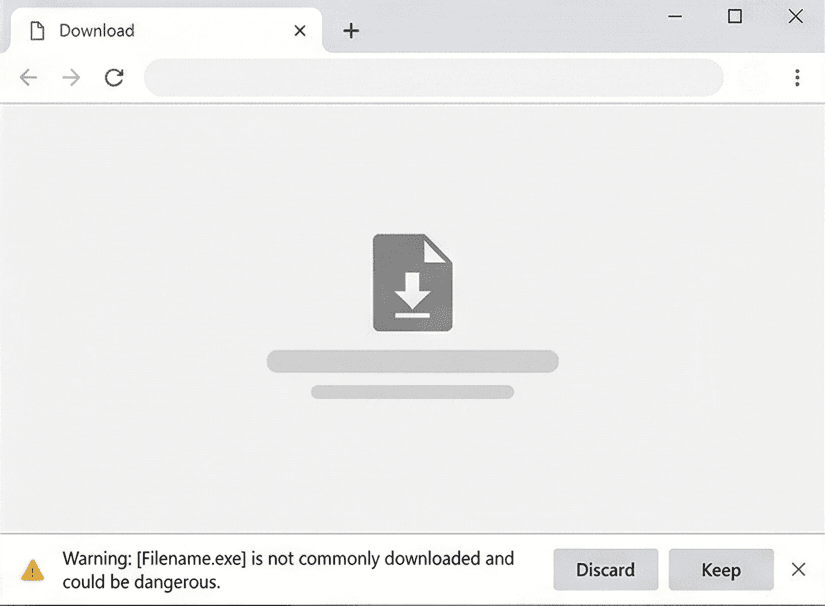
WordSurge_Setup_v1.0.0.exefrom your download page. - If your browser blocks the file, open its download menu and choose Keep (then Keep anyway).
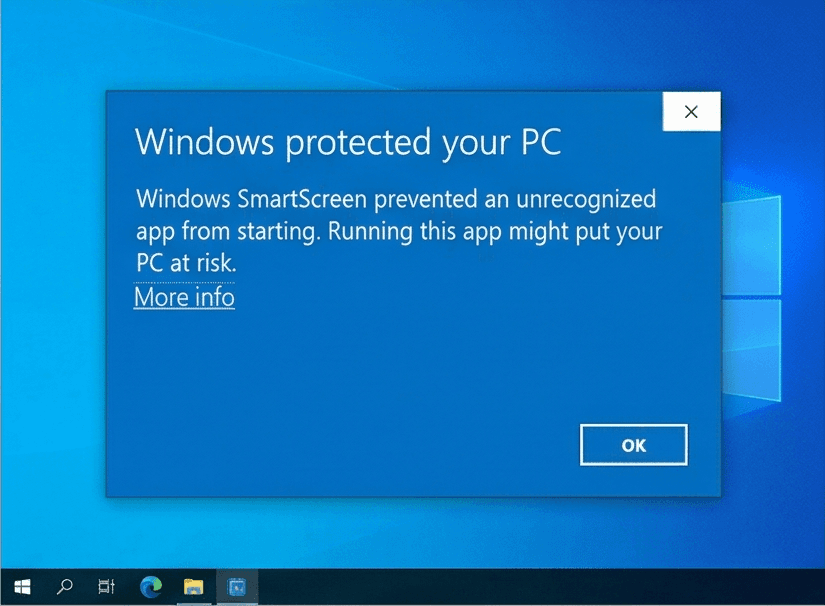
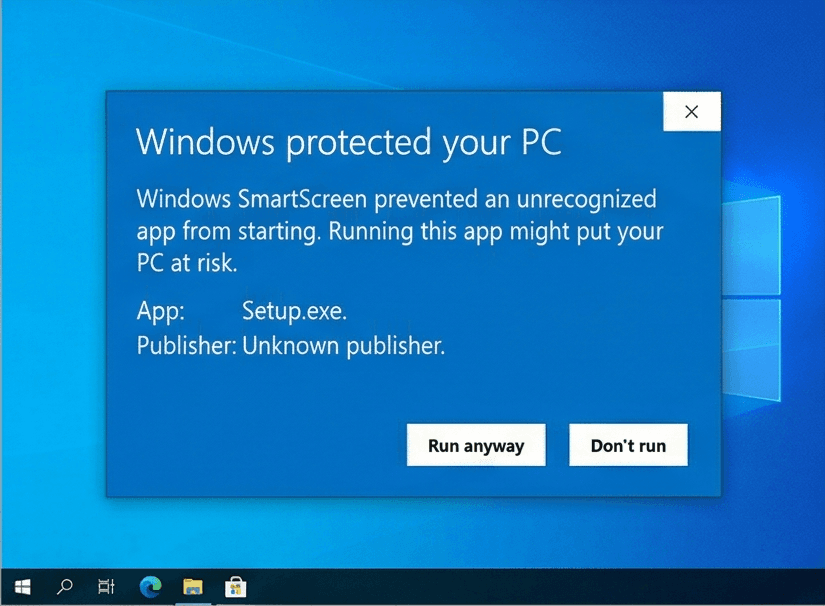
- Run the installer. If Windows SmartScreen says it "protected your PC", click More info, then Run anyway.
- Start the game. In the Unlock window, click Paste serial (or press Ctrl+V) with the serial from your purchase email copied. The installer does not ask for it.
Linux
- Download
WordSurge-linux-v1.0.0.x86_64.AppImage. - Make it executable:
chmod +x WordSurge-linux-v1.0.0.x86_64.AppImage, or tick Allow executing as a program in its file properties. - Run it. If your system lacks FUSE, start it from a terminal with
--appimage-extract-and-run. - In the Unlock window, click Paste serial (or press Ctrl+V) with the serial from your purchase email copied.
macOS
- Download
WordSurge-macos-v1.0.0.dmg(or the.zip, which holds the same app) from your download page. - Open the disk image and drag Word Surge onto Applications. For the zip, double-click it and move the app to Applications.
- Open the game from Applications. macOS says it cannot verify the developer: click Done (or OK).
- Open System Settings > Privacy & Security, scroll down and click Open Anyway, then confirm. You only do this once per game. On macOS 14 or earlier you can instead Control-click the app and choose Open.
- In the Unlock window, click Paste serial (or press Ctrl+V; the Cmd+V shortcut does not work there) with the serial from your purchase email copied.
System requirements
- OS
- Windows 10 or 11 (64-bit)macOS 10.15 or later (Intel or Apple silicon)Linux, 64-bit (x86_64) desktop distribution
- Memory
- 2 GB RAM
- Storage
- 100 MB free space
- Graphics
- Any graphics card or integrated GPU with OpenGL 2.1 support
- Input
- Mouse or trackpad and keyboard
Controls
Mouse
- Click and drag
- Draw a surge trail through adjacent letters; release to submit the word
- Click buttons
- Use the Power Pulse and earned power-ups, and navigate menus
Keyboard
- Esc
- Pause / back
License
Word Surge is licensed, not sold. Read the End-User License Agreement before you buy. Third-party credits ship with the game in THIRD_PARTY_NOTICES.txt. See also our Terms of Service and Privacy Policy.
Release notes
See what changed in every version of Word Surge: release notes.